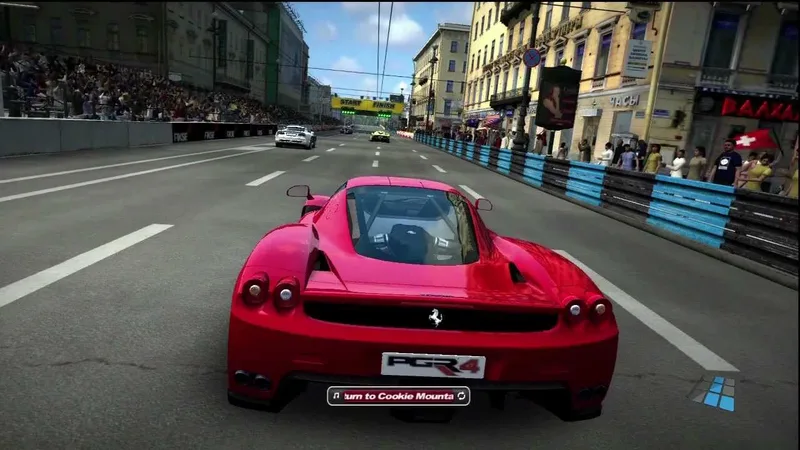
About this project
MTR-PGR4 launcher imports your extracted Xbox 360 disc folder. Windows packages expose 720p/1440p and 30/60 FPS options; optional display choices do not prove full-course compatibility.
Source: Official primary documentation — editorial review ↗ · Checked Oct 21, 2026
Compatibility
Documented targets for this variant: Windows. These entries include experimental or source-build routes when explicitly stated above; read this project’s limitations before choosing a package.
Source: Official primary documentation — editorial review ↗ · Checked Oct 21, 2026
Primary documentation excerpt (translated where needed): “Windows x64 and Visual Studio's **Desktop development with C++** workload, including the Windows SDK and MSVC libraries. Clang/clang-cl 20 or newer, CMake 3.25+, Ninja and Git on PATH. .NET Framework 4.8, including the Windows Framework …”
Source: Official primary documentation — editorial review ↗ · Checked Oct 21, 2026
Documented support and independently tested compatibility are different. AllRecomps has not run these games.
Development progress
The primary guide documents the implementation and preparation described above. AllRecomps has reviewed those sources, not executed the game; source-code coverage and a published package do not certify a full playthrough.
Source: Official primary documentation — editorial review ↗ · Checked Oct 21, 2026
The latest non-prerelease GitHub release observed is v0.1.1. A release does not establish stability, complete gameplay or tested platform support.
Source: GitHub latest release (automatic) ↗ · Checked Oct 21, 2026
Known limitations
Primary documentation excerpt (translated where needed): “MTR-PGR4 relies on Xenia's graphics renderer through ReXGlue, with modifications made for this project. Graphics problems inherited from Xenia are likely to appear here too, although fixes and behavior can differ between builds.”
Source: Official primary documentation — editorial review ↗ · Checked Oct 21, 2026
Getting started
Primary documentation excerpt (translated where needed): “Download the Windows x64 ZIP from Releases and extract the whole ZIP to a writable folder. Extract your own PGR4 disc image as described below. No game files are included. Open **MTR-PGR4.exe**, choose the extracted …”
Source: Official primary documentation — editorial review ↗ · Checked Oct 21, 2026
Some projects require files from your own copy of the original game. Follow the official instructions.