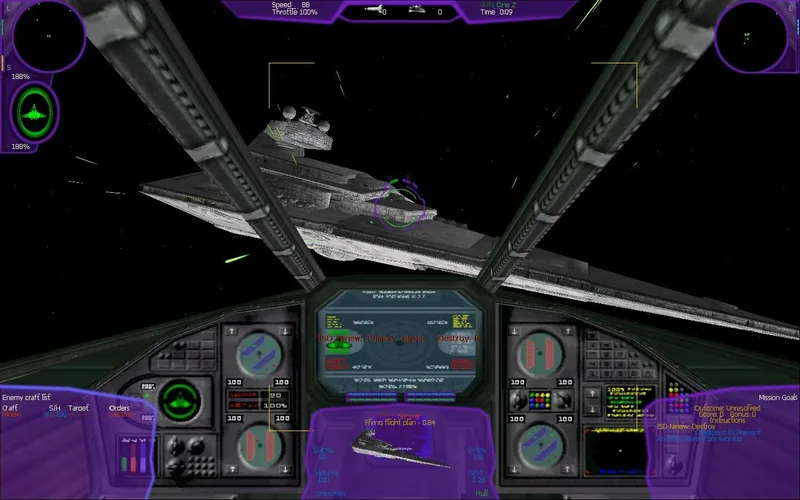
About this project
OpenXWA validates a complete installed game directory; raw CD layouts require the documented ALLIANCE merge. Windows uses D3D12/Vulkan, macOS 13+ uses Metal and Linux requires x64/glibc 2.35+/Vulkan.
Source: Official primary documentation — editorial review ↗ · Checked Oct 21, 2026
Compatibility
Documented targets for this variant: Windows, Linux, macOS. These entries include experimental or source-build routes when explicitly stated above; read this project’s limitations before choosing a package.
Source: Official primary documentation — editorial review ↗ · Checked Oct 21, 2026
Primary documentation excerpt (translated where needed): “a 64-bit system with a modern GPU a complete installation of *X-Wing Alliance* a mouse and keyboard, gamepad, or joystick for flight”
Source: Official primary documentation — editorial review ↗ · Checked Oct 21, 2026
Documented support and independently tested compatibility are different. AllRecomps has not run these games.
Development progress
The primary guide documents the implementation and preparation described above. AllRecomps has reviewed those sources, not executed the game; source-code coverage and a published package do not certify a full playthrough.
Source: Official primary documentation — editorial review ↗ · Checked Oct 21, 2026
The latest non-prerelease GitHub release observed is v0.0.17. A release does not establish stability, complete gameplay or tested platform support.
Source: GitHub latest release (automatic) ↗ · Checked Oct 21, 2026
Known limitations
Compatibility and feature scope are limited to this variant’s documented evidence. No additional OS support, complete-game validation, hardware benchmark or future roadmap feature is inferred from repository metadata.
Source: Official primary documentation — editorial review ↗ · Checked Oct 21, 2026
Getting started
Primary documentation excerpt (translated where needed): “Download the latest package for your platform from GitHub Releases. Extract or install the package and launch OpenXWA. Select the folder containing a complete *X-Wing Alliance* installation when prompted. To fly with a mouse, open …”
Source: Official primary documentation — editorial review ↗ · Checked Oct 21, 2026
Some projects require files from your own copy of the original game. Follow the official instructions.