About this project
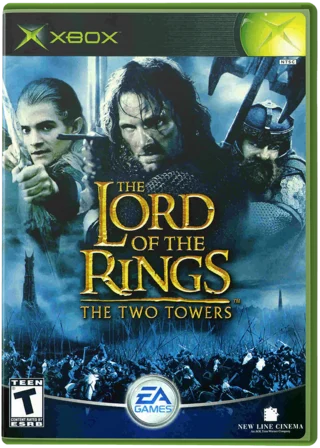
TooTawersRecomp statically translates the original Xbox The Two Towers for desktop. Its launcher verifies the supported retail executable and provides settings and optional frame-rate changes.
Source: Official project README — editorial review ↗ · Checked Oct 21, 2026
Compatibility
Use your own USA retail Xbox image or extracted default.xbe and accompanying files. The README lists Windows 7 SP1+ 64-bit, Linux glibc 2.27+ and macOS 10.15+ through Intel/Rosetta; other disc revisions are not inferred.
Source: Official project README — editorial review ↗ · Checked Oct 21, 2026
Documented support and independently tested compatibility are different. AllRecomps has not run these games.
Development progress
The launcher documents disc validation, settings and save handling. Its unlocked-frame-rate option is experimental rather than a validated performance guarantee.
Source: Official project README — editorial review ↗ · Checked Oct 21, 2026
The latest non-prerelease GitHub release observed is 1.9.5. A release does not establish stability, complete gameplay or tested platform support.
Source: GitHub latest release (automatic) ↗ · Checked Oct 21, 2026
Known limitations
Unlocked frame rates are explicitly experimental. Very high numbers advertised by a project are not independent benchmarks or proof that game timing stays correct. Test the standard configuration first and retain logs for reproducible issues.
Source: Official project README — editorial review ↗ · Checked Oct 21, 2026
Getting started
Use the official launcher to import the supported local disc files, complete preparation and start the game. F10 opens settings. Keep the launcher’s save backups and make a separate copy before replacing or regenerating the installation.
Source: Official project README — editorial review ↗ · Checked Oct 21, 2026
Some projects require files from your own copy of the original game. Follow the official instructions.