About this project
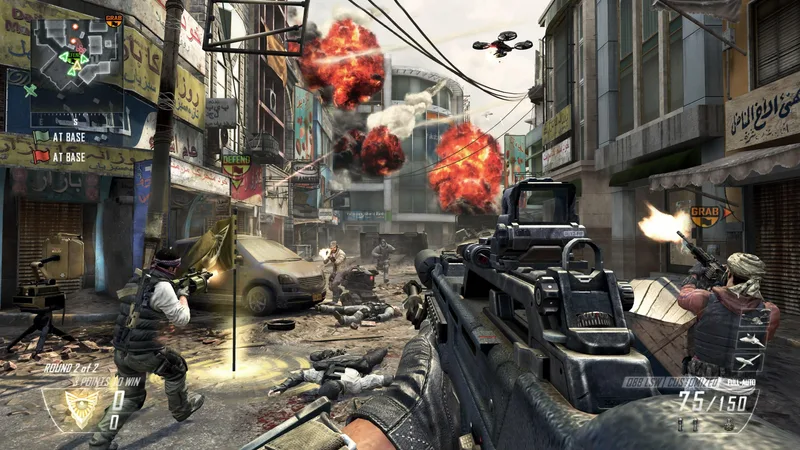
Requiem ports a Ghidra decompilation of the Black Ops II PC executables to Nintendo Switch Horizon OS using devkitPro and libnx. The author describes AArch64 game code with 32-bit pointers inside a 64-bit NRO. DXVK translates the game’s Direct3D 11 graphics to Vulkan.
Source: Official Requiem README — editorial review ↗ · Checked Oct 22, 2026
Compatibility
Requires a Switch setup capable of running libnx homebrew and the player’s own Steam PC Black Ops II files. The release supports English only. No firmware/hardware compatibility matrix, storage minimum or complete game-file verification procedure is provided in the reviewed README/release.
Source: Official Beta 1 release ↗ · Checked Oct 22, 2026
Documented support and independently tested compatibility are different. AllRecomps has not run these games.
Development progress
Public Beta 1, tag 0.0.1, was published on 2026-10-21. The current scope covers Zombies and Multiplayer modes; limited mod support is documented, including an author report that DLC5 works. This does not establish compatibility with all mods or DLC.
Source: Official Beta 1 release ↗ · Checked Oct 22, 2026
Known limitations
Campaign is not included because the required decompilation is unfinished. Online play is announced for Beta 2, not available as a documented Beta 1 feature. A Multiplayer mode entry does not imply working internet multiplayer.
Source: Official Beta 1 release ↗ · Checked Oct 22, 2026
First-time gameplay can exhibit pop-in while shaders compile. Split screen is experimental with expected issues. System Link may fail to display a lobby connection even when both players can enter the match. Performance is still being improved; the author calls stock-speed gameplay playable, without publishing a benchmark or guaranteed frame rate.
Source: Official Beta 1 release ↗ · Checked Oct 22, 2026
The README schedules the source-code release for early November 2026 after initial beta testing. That is a future plan; the public beta does not by itself establish that the full implementation source is already available.
Source: Official Requiem README — editorial review ↗ · Checked Oct 22, 2026
Getting started
From the official Beta 1 release, extract t6game.zip into the SD card’s /switch/ directory so the application is /switch/t6game/t6game.nro. Place your Steam PC BO2 game files in /switch/t6game/. Launch t6game.nro through title takeover or a forwarder; the release also lists t6zm.nro and t6mp.nro as working entry points.
Source: Official Beta 1 release ↗ · Checked Oct 22, 2026
Some projects require files from your own copy of the original game. Follow the official instructions.