About this project
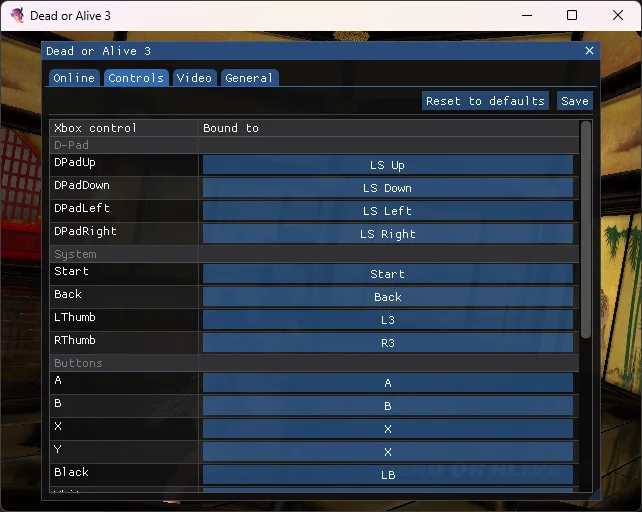
Static Xbox recompilation with BuildGame.cmd/Launcher.cmd on Windows and build_game.sh on Unix hosts. Supply your disc; early Story/Time Attack/Sparring reports do not validate all modes or hardware.
Source: Official primary documentation — editorial review ↗ · Checked Oct 21, 2026
Compatibility
Documented targets for this variant: Windows, Linux, macOS. These entries include experimental or source-build routes when explicitly stated above; read this project’s limitations before choosing a package.
Source: Official primary documentation — editorial review ↗ · Checked Oct 21, 2026
Documented support and independently tested compatibility are different. AllRecomps has not run these games.
Development progress
Primary documentation excerpt (translated where needed): “[!NOTE] **Playable, in early testing.** Intro movie, title, menus, Story, Time Attack, Watch and Sparring fights with audio, stage transfers, continue and attract mode run on the whole-program recomp. See bring-up for run evidence, history …”
Source: Official primary documentation — editorial review ↗ · Checked Oct 21, 2026
The latest non-prerelease GitHub release observed is v0.2. A release does not establish stability, complete gameplay or tested platform support.
Source: GitHub latest release (automatic) ↗ · Checked Oct 21, 2026
Known limitations
Compatibility and feature scope are limited to this variant’s documented evidence. No additional OS support, complete-game validation, hardware benchmark or future roadmap feature is inferred from repository metadata.
Source: Official primary documentation — editorial review ↗ · Checked Oct 21, 2026
Getting started
Primary documentation excerpt (translated where needed): “Download the ZIP from the latest release and extract it to a folder with a short path. Drag a DOA3 ISO or extracted disc folder onto `BuildGame.cmd`, then run `Launcher.cmd` to pick resolution, anti-aliasing, widescreen …”
Source: Official primary documentation — editorial review ↗ · Checked Oct 21, 2026
Some projects require files from your own copy of the original game. Follow the official instructions.