About this project
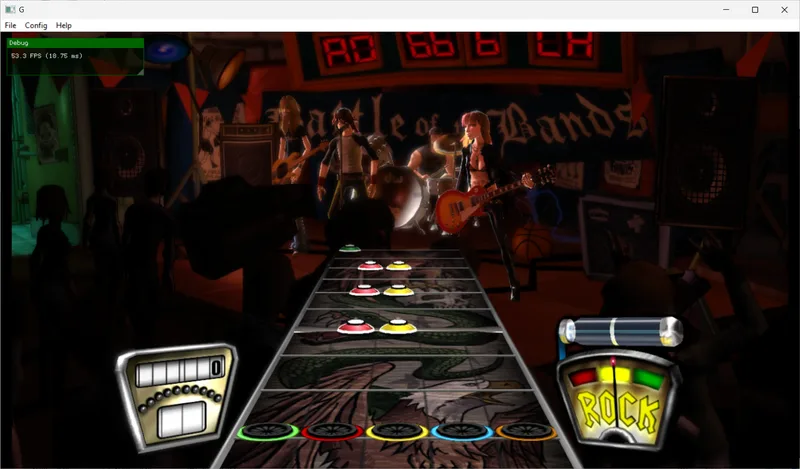
reGH2 uses the ReXGlue SDK to statically recompile Guitar Hero II for Xbox 360 into a native Linux build. The AppImage includes the compiler and generates the game code from the user’s data on the user’s computer; the repository does not ship the original game.
Source: reGH2 official README ↗ · Checked Oct 21, 2026
F2 opens options for graphics, display, controllers, keyboard, DLC and reports. The documented tools include an FPS counter, save export and a launcher with install, diagnostics and uninstall commands.
Source: reGH2 official README ↗ · Checked Oct 21, 2026
Compatibility
Use your own Xbox 360 USA copy, title ID 415607E7. The supported default.xex SHA-1 is b90b864487e6291761b207c8d0064e9a0779bdee. Input can be an ISO, extracted folder or default.xex. Other versions are refused by default.
Source: reGH2 official README ↗ · Checked Oct 21, 2026
Requirements are Linux x86-64, glibc 2.35 or newer, a Vulkan 1.2 GPU and current driver, about 4 GB of free disk space, and a few GB of RAM during compilation. Audio needs PipeWire, PulseAudio or ALSA; display needs Wayland or X11.
Source: reGH2 official README ↗ · Checked Oct 21, 2026
Documented support and independently tested compatibility are different. AllRecomps has not run these games.
Development progress
The first public pre-release is v0.1.0, published on 2026-10-21 UTC. It includes reGH2-x86_64.AppImage and SHA256SUMS.txt. This catalog records release availability without classifying it as stable.
Source: reGH2 v0.1.0 pre-release notes ↗ · Checked Oct 21, 2026
The maintainer reports playing on one CachyOS machine with Ryzen 5 5600 and RX 6600 XT, testing an X-plorer guitar, Xbox One controller and keyboard. Installation and startup were checked in clean Linux containers without GPU; this does not establish graphical compatibility across those distributions.
Source: reGH2 v0.1.0 pre-release notes ↗ · Checked Oct 21, 2026
Known limitations
This is an early pre-release tested on one computer. The release notes explicitly list Steam Deck, other GPUs and the graphical launcher on other distributions as untested. Windows work has not started. Steam Deck appearing in requirements is not a verified-playability claim.
Source: reGH2 v0.1.0 pre-release notes ↗ · Checked Oct 21, 2026
One reported slowdown while an achievement notification appeared could not be reproduced by the maintainer. The project requests contextual problem reports; audio crackling may require the documented balanced or safe audio-latency option. No performance guarantee is made for other systems.
Source: reGH2 v0.1.0 pre-release notes ↗ · Checked Oct 21, 2026
Getting started
Download the official AppImage and verify it against SHA256SUMS.txt. Make it executable, run it, choose Select folder..., select your game files and press Install. After local compilation, press PLAY. Your GPU’s Vulkan driver must be installed on the host; bundled libraries do not replace it.
Source: reGH2 official README ↗ · Checked Oct 21, 2026
Saves, achievements and installed DLC are stored in ~/.local/share/gh2. Save export includes saves and achievements, but excludes DLC. Back up this folder before changing releases. DLC LIVE/CON packages can be imported from the game menu; users must supply their own data.
Source: reGH2 official README ↗ · Checked Oct 21, 2026
Some projects require files from your own copy of the original game. Follow the official instructions.