About this project
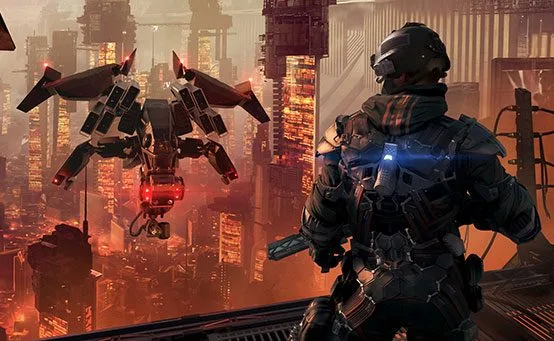
The README describes direct execution of the original PS4 game code and real-time translation of graphics to Vulkan. It builds on the gow3_pc base, so the catalog uses the game-specific compatibility-layer category.
Source: Project README ↗ · Checked Oct 17, 2026
Compatibility
The README requires Windows 10 1903+ or Windows 11 x64, Vulkan 1.3 graphics and 16 GB RAM. It recommends 6 GB VRAM for 1080p/1440p and 8 GB for higher resolutions. The documented test machine uses an RTX 2060 Super.
Source: Project README ↗ · Checked Oct 17, 2026
Documented support and independently tested compatibility are different. AllRecomps has not run these games.
Development progress
Public GitHub release recorded at this review: v0.2.0, published 2026-10-17 (São Paulo time). A release does not establish stability, complete gameplay or tested compatibility.
Source: GitHub release notes ↗ · Checked Oct 17, 2026
The latest non-prerelease GitHub release observed is v0.2.0. A release does not establish stability, complete gameplay or tested platform support.
Source: GitHub latest release (automatic) ↗ · Checked Oct 17, 2026
Known limitations
The first campaign load can take a long time or crash while shaders compile; stutters and some chapter-2 lighting flicker remain documented. Frame rates above 60 are experimental. Multiplayer is limited to offline Botzone. AMD GPUs and Intel CPUs were not tested according to the Spanish README.
Source: Project README ↗ · Checked Oct 17, 2026
Getting started
Extract the official Windows release outside protected application folders, open Killzone Shadow Fall.exe, choose your own CUSA00190 01.81 dump folder containing eboot.bin and follow the launcher instructions.
Source: Project README ↗ · Checked Oct 17, 2026
Some projects require files from your own copy of the original game. Follow the official instructions.