About this project
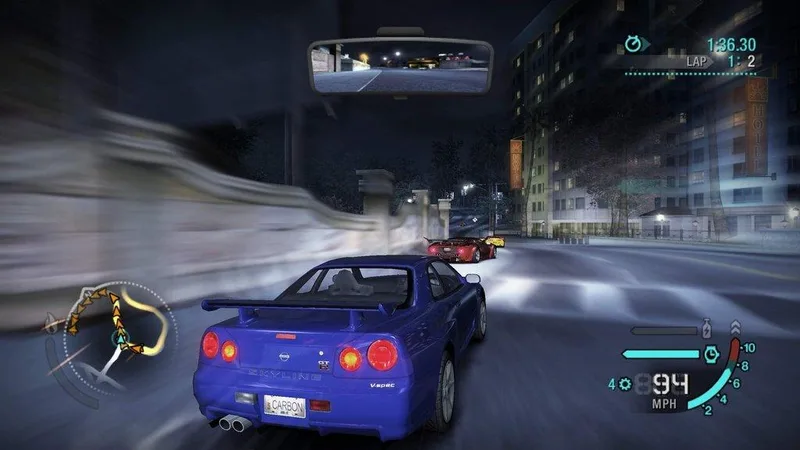
This Apple Silicon port translates the original Windows PC version of Carbon from x86 to C and renders through Metal. It is a native recompilation route rather than a Wine launcher.
Source: Official project README — editorial review ↗ · Checked Oct 21, 2026
Compatibility
Use your own installed PC game folder containing NFSC.exe at version 1.4. The runtime target is macOS on Apple Silicon; console disc images and Intel Mac support are not inferred from the project title.
Source: Official project README — editorial review ↗ · Checked Oct 21, 2026
Documented support and independently tested compatibility are different. AllRecomps has not run these games.
Development progress
The maintainer reports full playability on the Apple Silicon port. This is recorded as a project report, without an AllRecomps executable test.
Source: Official project README — editorial review ↗ · Checked Oct 21, 2026
The latest non-prerelease GitHub release observed is v0.1.13. A release does not establish stability, complete gameplay or tested platform support.
Source: GitHub latest release (automatic) ↗ · Checked Oct 21, 2026
Known limitations
The maintainer reports full playability, which remains an attributed report rather than an AllRecomps test. The application is not notarized; consult macOS guidance for approving an individual trusted app rather than broadly disabling security protections.
Source: Official project README — editorial review ↗ · Checked Oct 21, 2026
Getting started
Use the official DMG/setup workflow and select your PC game directory to generate the local application. Follow the separate developer instructions for a source build. Diagnostic logs are stored under Library/Application Support/NFSCarbon/Logs in your user account.
Source: Official project README — editorial review ↗ · Checked Oct 21, 2026
Some projects require files from your own copy of the original game. Follow the official instructions.