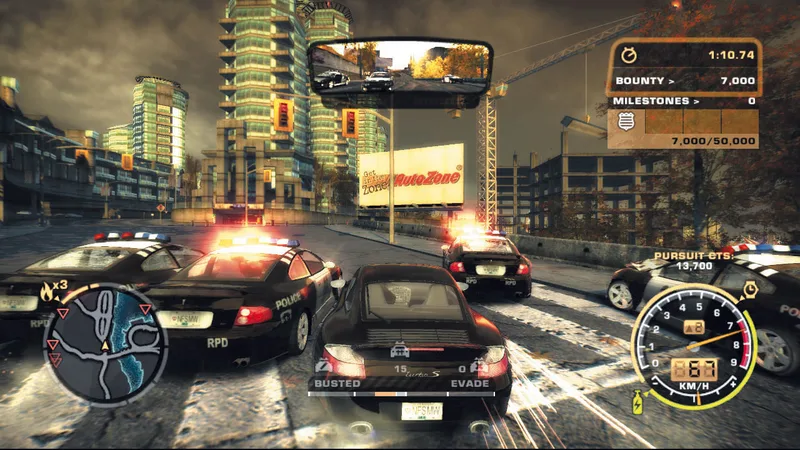
About this project
SpeedBreaker statically recompiles the Xbox 360 version of Most Wanted for modern systems. Its documented PC path is Linux, with separate Apple and experimental mobile targets.
Source: Official project README — editorial review ↗ · Checked Oct 21, 2026
Compatibility
Use your own USA Xbox 360 disc, requiring roughly 7.2 GB. The x64 Linux path requires AVX2 and Vulkan 1.2; macOS targets Apple Silicon with macOS 15+. iOS/iPadOS support is experimental and has a separate setup.
Source: Official project README — editorial review ↗ · Checked Oct 21, 2026
Documented support and independently tested compatibility are different. AllRecomps has not run these games.
Development progress
The documentation separates Linux desktop, Apple and experimental mobile setup. A published target is not a completed device test matrix.
Source: Official project README — editorial review ↗ · Checked Oct 21, 2026
The latest non-prerelease GitHub release observed is v0.1.7. A release does not establish stability, complete gameplay or tested platform support.
Source: GitHub latest release (automatic) ↗ · Checked Oct 21, 2026
Known limitations
A Steam Frame build is a flat-screen application, not a VR conversion. Its ARM64 build does not establish support for arbitrary ARM devices. High-refresh rendering and experimental Apple/mobile paths should not be read as universal performance guarantees.
Source: Official project README — editorial review ↗ · Checked Oct 21, 2026
Getting started
Download the official package matching the target OS, extract/install it and use the in-app disc importer with your local image. Follow the platform-specific controls and storage guide; keep a backup of saves before moving between versions or devices.
Source: Official project README — editorial review ↗ · Checked Oct 21, 2026
Some projects require files from your own copy of the original game. Follow the official instructions.